
The question usually comes up before a renewal. Someone above the security team, whether a CFO, an audit committee, or a board member, wants to know whether the security awareness program is actually working before approving another year of spend.
It’s a fair question, but many security teams don’t have the data to answer it. Completion rates and participation rates are easy to track, but they don’t show whether employees are changing their behavior or whether human risk is going down.
Metrics that can show that change, such as phishing click rates, reporting rates, and time to report, need to be tracked consistently over time. If that data hasn’t been collected throughout the year, it can’t be recreated at renewal.
This guide covers the security awareness training metrics worth reporting, how to calculate each one, what good looks like, and the three or four numbers that belong in front of a board.
Security awareness metrics worth reporting
The most useful security awareness metrics show how employees respond to threats, how quickly they act, and where human risk is concentrated. These seven metrics give a useful view.
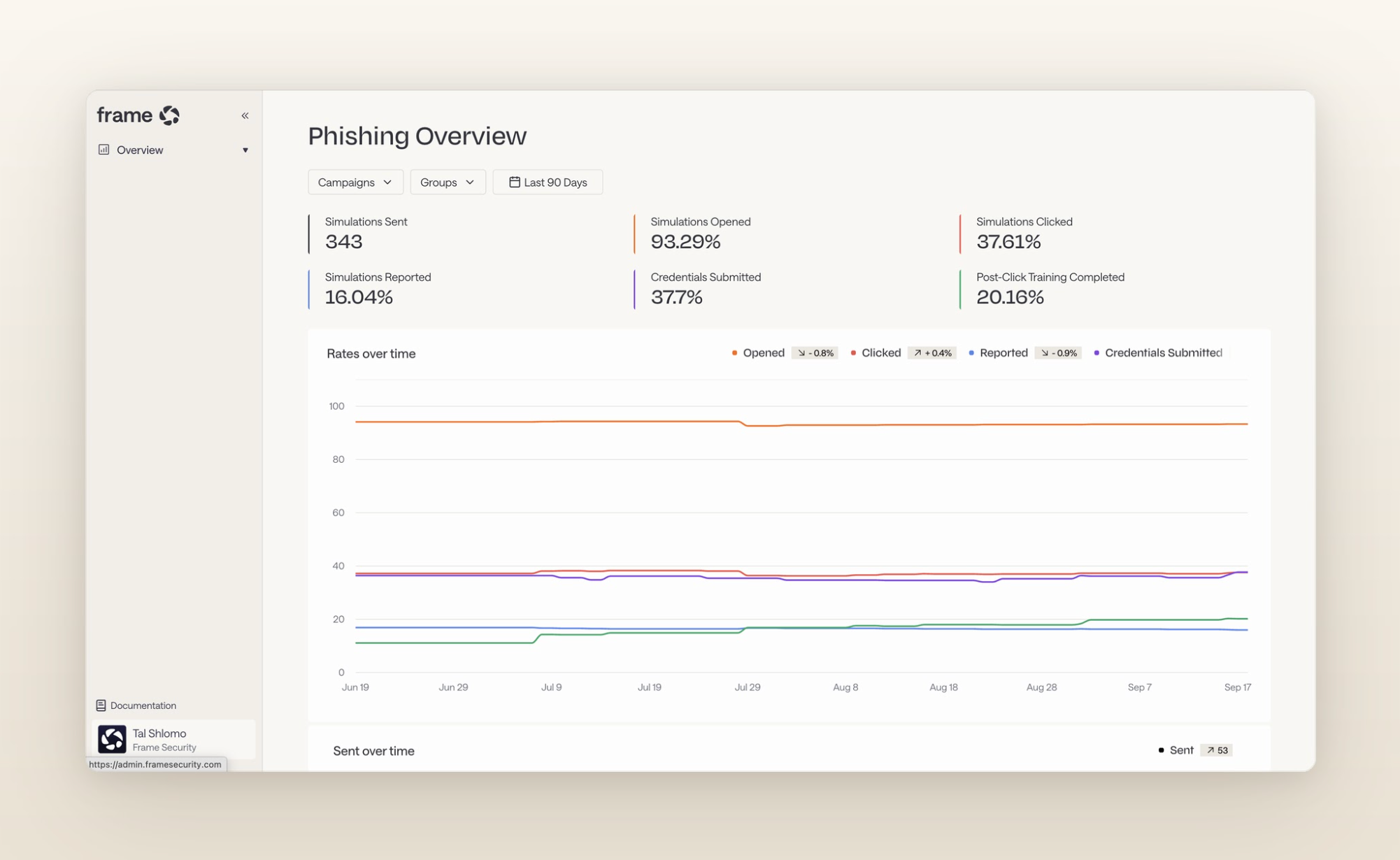
Phishing simulation click rate
Phishing simulation click rate is the percentage of recipients who click a link or attachment in a simulated phishing email. It shows risky behavior, but only compares results from simulations of similar difficulty.
Calculation: Clickers ÷ delivered emails × 100
Report rate
Report rate is the percentage of recipients who report a simulated phishing email. It measures employees taking the right action, rather than just avoiding the wrong one.
Calculation: Reporters ÷ delivered emails × 100
Keep the reporting method consistent across campaigns, whether that’s a Microsoft 365 report button, mailbox, or plugin.
Time to report
Time to report is the time between simulation delivery and the first employee report. A shorter time means the security team would have earlier warning of a real campaign and more opportunity to contain it.
Measure from delivery to the first report, not the average.
Miss rate
Miss rate is the percentage of recipients who neither interact with nor report the simulation. They can’t be classified as safe because there’s no evidence they recognized the threat.
Calculation: (Recipients who neither clicked nor reported ÷ delivered emails) × 100
Repeat click concentration
Repeat click concentration shows how much of total simulation failure comes from repeat clickers. An organization-wide click rate can hide a small group of high-risk employees who need targeted training delivered at the moment of failure.
Choose a consistent period, identify repeat clickers, and calculate their failures as a percentage of all failures.
False positive report rate
False positive report rate is the percentage of employee reports confirmed as benign. It shows whether higher reporting rates are also creating unnecessary triage work.
Calculation: Confirmed-benign reports ÷ total reports × 100
Review it alongside overall report rate.
Per-employee risk score
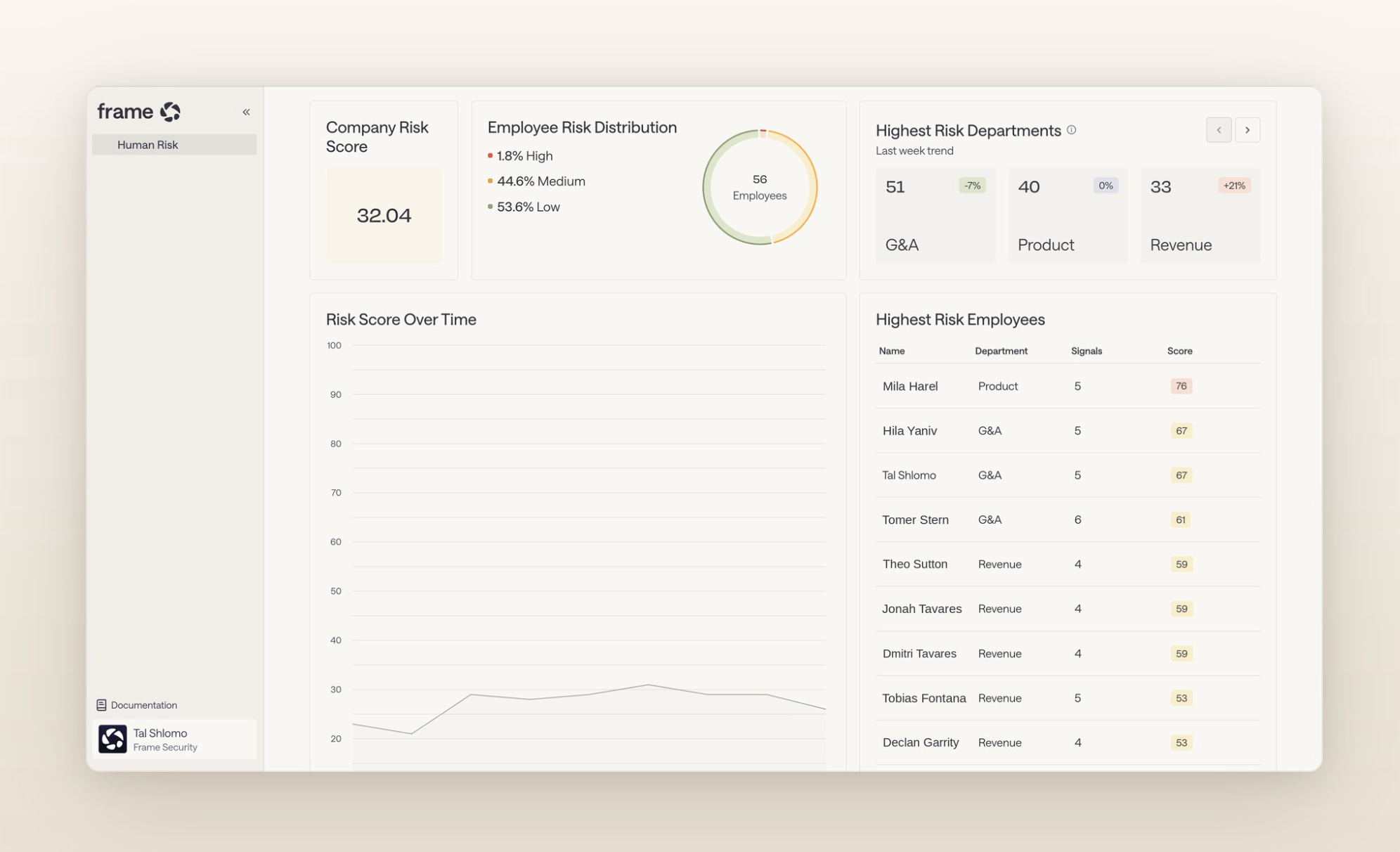
A per-employee risk score combines signals such as simulation outcomes, training interactions, security posture, and behavior over time. It helps identify where human risk is concentrated and who needs intervention.
There’s no universal formula. Use consistent inputs and weighting over time, and make sure the platform shows what contributes to the score.
What good security awareness metrics look like
There isn’t a universal benchmark for security awareness training effectiveness. Results vary with simulation difficulty, attack type, employee population, and how the exercise is run, so external benchmarks are best used as context rather than targets.
The Verizon 2026 Data Breach Investigations Report provides a useful independent reference point:
- Email phishing simulations: median click rate of 1.4% across 8,395 campaigns.
- Phone-centric simulations: median success rate of around 2%, approximately 40% higher than email.
But there’s an important caveat here. These figures show what Verizon observed across its dataset, but they aren’t targets every security awareness program should aim for.
The organizations in that dataset aren’t all running the same simulation against the same type of employees. Campaign difficulty, the type of lure, who receives it, and how familiar employees are with phishing simulations can all affect the click rate. That means a 1.4% median tells you roughly where Verizon’s dataset sits, but it can’t tell you whether a 1.4% result is good for your organization.
How to use your own baseline as a benchmark
An internal baseline gives you a starting point for measuring whether security behavior improves over time. Unlike an industry benchmark, it reflects your employee population, simulation difficulty, reporting process, and security environment.
To establish your baseline:
- Run an unannounced simulation. Use a realistic scenario at a difficulty level you can reproduce in future campaigns.
- Record the full metric set. Capture click rate, report rate, time to report, miss rate, and repeat failures rather than using completion rates or click rates alone.
- Segment the results. Break out teams, roles, or other relevant groups where the sample size is large enough to make the comparison useful.
- Save the campaign context. Record the scenario, difficulty, audience, delivery method, and timing alongside the results. Those details determine what you can compare later.
The baseline doesn’t need to be good. It needs to be reliable. From there, improvement should show up as lower click and miss rates, higher reporting rates, faster reporting, and fewer repeat failures over time. How quickly training decays also matters when deciding how frequently to measure those changes.
Which security awareness metrics don’t show whether risk is falling?
Some common security awareness metrics measure activity rather than whether human risk is falling.
- Training completion rates measure participation. Finishing training doesn’t show how an employee will respond to a real threat, which is why completion rates measure the wrong thing.
- Open rates measure engagement. They don’t show whether someone clicked, shared information, or reported a threat.
- Quiz scores measure knowledge. Knowing the right answer during training doesn’t mean an employee will apply it under pressure.
- Organization-wide averages hide concentrated risk. A small group of high-risk employees can disappear inside an otherwise healthy average.
Use these metrics for participation and engagement, but measure security awareness training effectiveness with behavioral metrics that show whether employees are making safer decisions over time.
How to segment security awareness metrics by risk
Organization-wide security awareness metrics can hide where human risk is actually concentrated.
Break results down by department, role, tenure, and access level to see whether the same overall number represents a widespread behavior problem or a smaller group with greater exposure or potential impact.
Four cuts are particularly useful:
- By department: Shows where click rates, reporting rates, or repeat failures are concentrated and where targeted training may be needed.
- By role: Separates risk associated with the job from individual behavior. Finance approvers, recruiters, executives, and help desk employees face different social engineering scenarios and may need to be measured against different threats.
- By tenure: Shows how security behavior differs between newer and established employees. Comparing cohorts can reveal whether onboarding and early security awareness training are producing the expected behavior over time.
- By access level: Adds the potential impact of a mistake to the behavioral data. A click from a domain administrator and a click from a contractor with read access to one SharePoint site count equally in a phishing click rate, but they don’t create the same organizational risk. Segmenting by access or privilege helps distinguish how often risky behavior occurs from how much exposure that behavior creates.
Remember to keep campaign comparisons like for like. A higher phishing click rate doesn’t necessarily mean security behavior is getting worse if the simulation was harder, so compare campaigns with similar difficulty, attack types, target populations, and conditions.
How to report security awareness metrics to the board
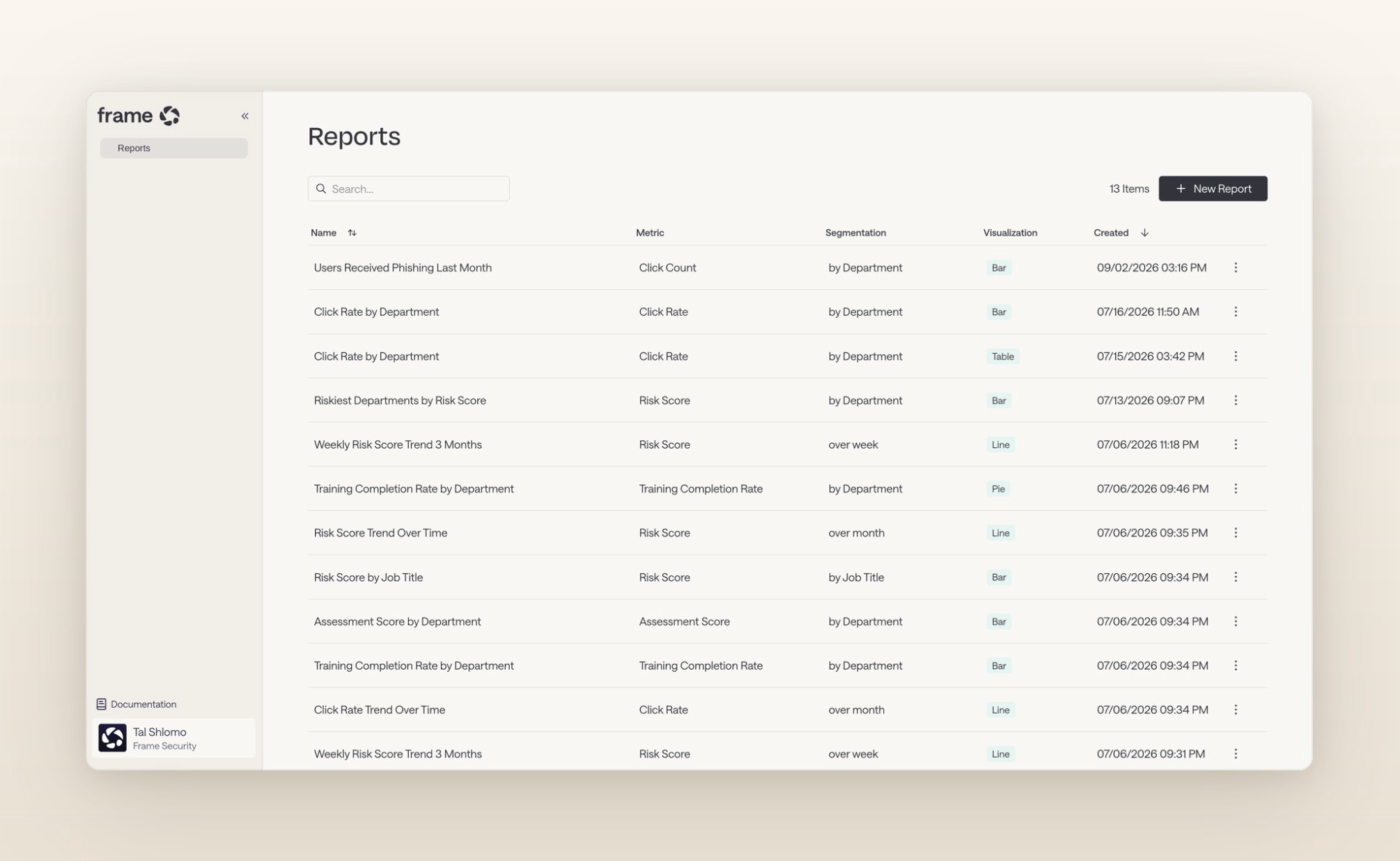
A board security awareness update should show whether human risk is improving, where exposure remains, and what needs to happen next. Keep it to three or four measures rather than presenting the full dashboard. For each, show the current result, the trend, and the action that follows.
1. Show whether reporting behavior is improving
Lead with report rate and time to report over the last four quarters. These show whether more employees are identifying suspicious activity and whether the security team is hearing about it sooner.
Show the direction rather than an isolated percentage. For example: report rate 12% → 19%; time to report 18 minutes → 7 minutes.
2. Show where risk is concentrated
Break organization-wide results down by department, role, or access level. A 3% click rate matters differently if most failures sit among employees with privileged access.
Pair the result with the response: where is the risk, and what targeted intervention follows?
3. Show what changed after an intervention
Connect training activity to behavioral metrics. If targeted training or micro-training was introduced, compare the relevant metric before and after using similar populations and simulations.
Keep the claim proportionate: an improvement after an intervention shows an association, not necessarily that the intervention caused it.
4. Show what risk remains
End with the exposure the current program hasn’t resolved and the action required next. This could be repeat clickers, slow reporting, or high failure rates among privileged employees.
This is also where the renewal or budget request belongs. Show what another year of spend is expected to change and which metric will demonstrate whether it worked. Questions to ask before renewing should include whether the platform can measure those outcomes.
If the current program only has completion data, say so. Establish a behavioral baseline now so the next renewal is backed by a full year of comparable data.
Turn security awareness metrics into action
Security awareness metrics are only useful if they’re collected consistently enough to show change over time. If the data has to be rebuilt manually before every board meeting, it’s difficult to maintain the baseline needed to show whether human risk is actually falling.
Frame Security’s AI-native Human Risk Security platform collects behavioral and security signals continuously, connects them at the employee level, and uses them to trigger the next action.
With Frame, security teams can:
- Measure behavior across multiple attack types. Phishing and deepfake simulations cover email, voice, and deepfake video rather than relying on phishing click rates alone.
- Build an individual view of human risk. Simulation outcomes, training interactions, MFA posture, and behavioral signals contribute to a per-employee Human Risk Score, making it easier to see where risk is concentrated without building a composite score manually.
- Act when risk changes. Human risk reduction can trigger targeted training, follow-up simulations, or manager alerts when an employee’s risk reaches a defined threshold.
- Connect training to the same measurement layer. Security awareness training records sit alongside behavioral signals, so completion data can support requirements such as HIPAA and PCI DSS without being treated as proof of behavior change.
- Report without rebuilding the numbers. Board-ready reporting provides executive summaries and deeper analytics from the same continuously collected data, so trends, risk concentration, and remaining exposure are available when the board asks for them.
That brings the question back to renewal. To show whether the organization is measurably harder to attack than it was a year ago, the relevant data needs to have been collected throughout that year. The measurement decision happens at the start of the cycle, not two weeks before the renewal meeting.
Book a demo to see how Frame measures, reduces, and reports human risk across your organization.
FAQs about security awareness training metrics
What are the most important security awareness metrics?
The most important security awareness metrics are report rate, time to report, phishing click rate, miss rate, repeat failures, and risk concentration. Together, they show how employees respond to threats and where human risk remains.
How often should security awareness metrics be reviewed?
Review behavioral metrics after each campaign and look at trends quarterly. This gives enough context to identify meaningful changes without treating every simulation result as a trend.
Can security awareness metrics be used for compliance?
Yes, security awareness metrics can be used for compliance but requirements vary. HIPAA and PCI DSS include security awareness training requirements for organizations in scope, while behavioral metrics can provide additional evidence of how the program performs. Keep compliance evidence separate from measures of behavior change.
