
If you’re reading this, you’re likely in one of two positions. Either security awareness training has just landed on your desk alongside a blank page, or you’ve inherited a program that runs itself every October, and nobody can say whether it does anything.
The question is the same either way, and it isn’t "which vendor." A program works when it matches how the organization is actually attacked, and keeps matching as cyber threats change. Everything below follows from that.
This covers what the training is, how to build it step by step, what to put in it, a worked twelve-month example, what to look for in tooling, and how to tell whether any of it is working.
What is security awareness training for employees?
Security awareness training is a structured program that teaches employees to recognize, avoid, and report cyberattacks aimed at them. These include phishing, spear phishing, social engineering, ransomware, malware, password and data handling, and the reporting behavior surrounding them. It targets the decisions made under pressure, not the technical controls sitting behind those decisions.
Two things separate a program from a training library. A program changes over time, because a fixed curriculum stops matching the current cybersecurity threats within a year of being written. It also produces evidence of behavior change rather than attendance, because a completion percentage answers a question cybercriminals don’t care about.
How to build a security awareness training program
Build it in this order. Each step feeds the next: the baseline tells you which topics to choose, the charter settles who runs them, and the cadence decides how often they reach people. Every step also carries the mistake that most often undoes it.
1. Start with a baseline
Run a blind phishing simulation and a short risk assessment before designing anything. Without a starting number, you’ll spend year one unable to say whether the program helped.
Capture click rate, report rate, time to report, and where security risks concentrate by department and role. The last one shapes everything that follows, because an org-wide average hides the two teams carrying most of the exposure.
The mistake: designing the curriculum first and baselining afterward, which leaves a number with nothing to compare it against.
2. Secure executive sponsorship
Be specific about what sponsorship buys: budget, mandated participation rather than optional enrollment, and a launch announcement from leadership rather than from IT. The third costs nothing and changes how the first month lands.
The mistake: treating sponsorship as a signature on a budget line. What you need is visible participation, because security culture follows what leadership does.
3. Define ownership between security and HR
Ambiguous ownership between the security team and HR or L&D is the most common reason programs stall. Each team assumes the other covers the gap, and the program drifts to whichever cadence is easiest to sustain, almost always the annual one.
This is the split that works. Security owns simulation cadence, scenario selection, and risk scoring; HR and L&D own scheduling, communications, enrollment, and learner experience; the executive sponsor owns budget and breaks ties. Put it in a one-page charter. A verbal agreement won’t survive the first contested decision.
The mistake: leaving it implicit because both teams are currently cooperating.
4. Choose topics from your risk data
Everyone gets the same core: phishing attacks, business email compromise, password security, data handling for sensitive information, and incident reporting. Your baseline then shows which teams need more role-based training. Finance needs payment verification, engineering needs secure coding, help desk needs identity verification, and recruiters need to spot synthetic candidates.
Write each as a behavior rather than a subject. "Understand social engineering" describes a quiz; "verify a payment change through a number you already hold" describes something a person either does or doesn't do.
The mistake: building the topic list from a vendor's catalog, which trains what the library covers well rather than what your baseline said was weak.
5. Set a cadence that beats decay
Annual training clears the bar for compliance requirements and little else. PCI DSS sets the clearest requirement: training on hire and at least once every 12 months. HIPAA, the General Data Protection Regulation (GDPR), and ISO 27001 all expect a program but name no interval. None of them matches how fast people forget.
The evidence does. A 2023 scoping review in Computers & Security found that training effects lasted six months at most, with brief refresher material stretching them to twelve. An annual program spends most of its year outside the window where it works.
The workable pattern has three parts. Run an annual baseline for the auditor. Add short reinforcement inside the six-month window. Then trigger training by event instead of by date: a wave of phishing scams against your sector, a new collaboration tool, a promotion into payment authority. How quickly training decays covers the mechanism.
The mistake: scheduling everything in October and calling the rest of the year maintenance.
6. Roll out without breaking trust
Announce the program before the first simulation goes out, and never name individuals who fail one. Publish reporting rates instead of click rates, so the number people see rewards the behavior you want.
A gotcha program suppresses the behavior it should be building. Once people learn that telling you about a mistake costs them something, they stop telling you, and the organization ends up less safe than before the program started.
The mistake: a punitive landing page. It's often the first thing someone sees after clicking, so its tone sets the program's reputation.
Security awareness training best practices
The build steps get a program running, while these principles keep it aimed at behavior instead of activity.
- Continuous over annual. Frequency beats duration. Short and monthly outperforms long and yearly.
- Practice over recall. Simulations test what people do under pressure; quizzes test what they remember in calm.
- Role-relevance over one-size content. Generic messaging reads as noise and gets filed as noise.
- Coaching at the moment of failure. The ten seconds after a click is the only point where someone is thinking about the decision. Training delivered at the moment of failure covers why timing does the work.
- Behavior over completion. Why completion rates measure the wrong thing makes the full argument.
- Engagement as a health check. Micro-learning, nudges, and light gamification keep participation up. They’re how you know delivery is working, not whether risk moved.
A security awareness training program example
Most guides describe principles and never show a calendar. Here’s a twelve-month shape for a mid-sized organization, specific enough to adapt.
Two rules make the calendar hold. Record difficulty with every simulation, or the month-one to month-twelve comparison means nothing. And protect the event-triggered slot. It’s the first thing to get dropped when the quarter gets busy, and it’s the part that keeps the program matched to reality.
Security awareness training tools
Judge employee security awareness training tools on capability rather than feature count. Every product in this category has a long feature list, and most of the items on it are the same. Four questions separate a platform from a content library, and each one has a version a vendor answers with a demo and a version they can only answer with a mechanism:
- How fast can new content ship when a threat emerges? A library updates on a release cycle measured in quarters. Ask what happens when something lands in week two that nobody planned for.
- Which channels does it simulate? Email alone leaves voice, video, and QR untested, and those are where attacks have moved.
- What drives assignment? Role and risk, or only department. This decides whether the role-based layer above is buildable.
- Does it report risk or completions? Ask what the number is built from and what happens automatically when it moves.
How to know the program is working
Completion rates measure attendance, but won’t survive a board question about whether the organization’s security posture is stronger than it was in January.
The metrics that hold up describe behavior:
- Report rate against click rate. Two people who click look identical on a completion report; the one who also reports carries different risk.
- Time to report. The gap between first click and first report is the window your responders actually get to stop a click from turning into a data breach.
- Repeat-failure concentration. Whether risk clusters in a small group or spreads evenly, which calls for completely different responses.
- Per-department risk trend. Direction over time, segmented, is the version an executive can act on.
One note for the HR and L&D side: engagement and completion still matter operationally. You can’t reinforce a behavior in someone who never opened the module. They are the health check on delivery; risk movement is the outcome.
Keeping the program current is the hard part
Every step above assumes the program can change as fast as the threats do. Most can’t. Content follows a vendor's release cycle, the plan written in January is stale by spring, and the event-triggered slot in the calendar stays empty because filling it means a content request that comes back next quarter.
Frame Security is an AI-native Human Risk Security platform built against that failure. It automates human risk management, from training content to risk scoring.
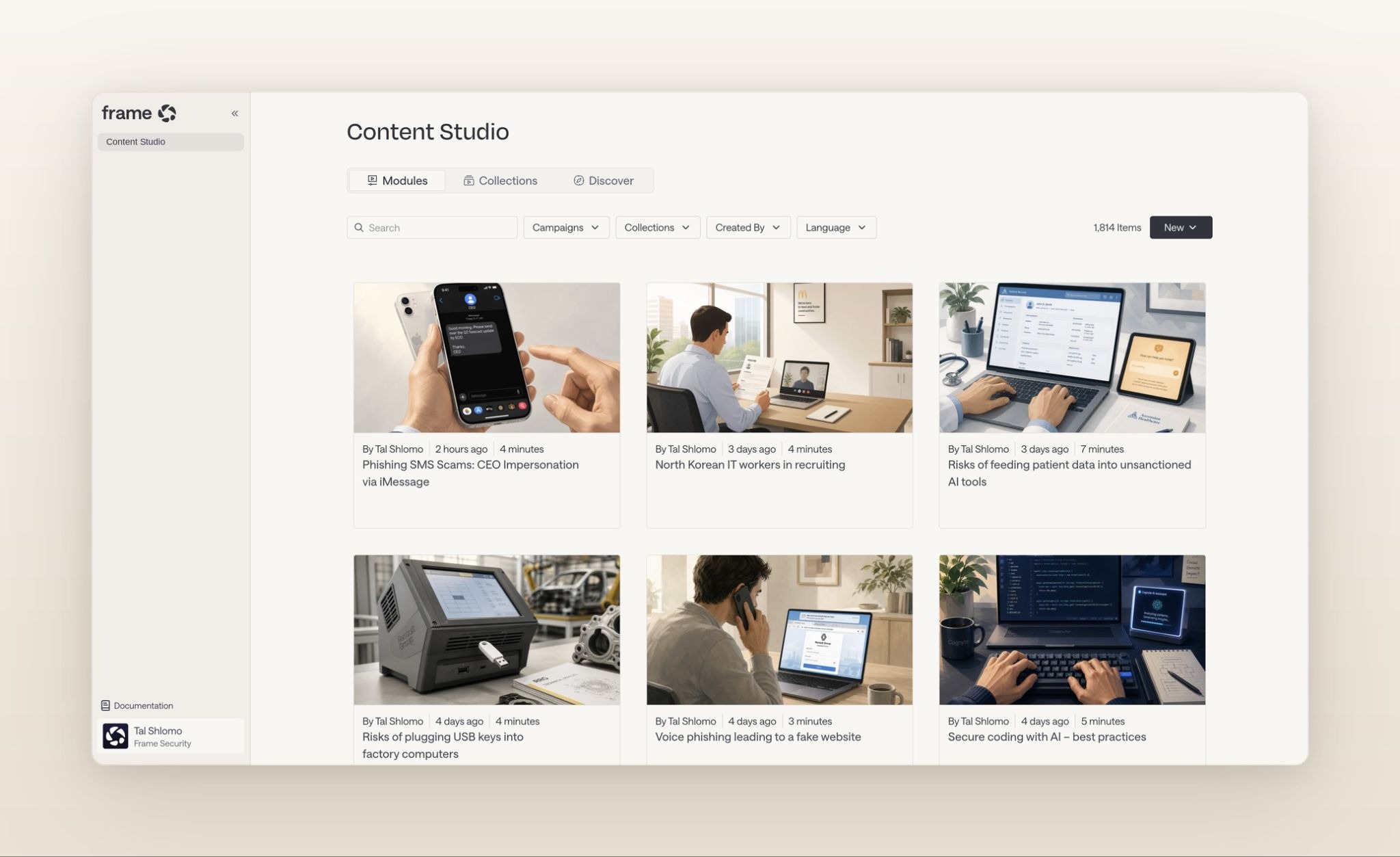
Security awareness training runs through AI Content Studio, which generates a full module (video, quiz, and interactive content) from a short description or an uploaded internal policy. It draws on your policies and org chart, and you can edit it before anyone sees it. A topic the plan never anticipated ships in minutes instead of entering a queue.
Assignment follows role and risk instead of a flat department list, making the role-based layer practical to run. Phishing and deepfake simulations cover email, voice, and video. Human risk reduction combines simulation outcomes, training activity, MFA posture, and behavioral signals into a per-employee Human Risk Score that breaks down by department, role, and location. When a score crosses a threshold, targeted training triggers automatically.
Go back to the blank page, or the program on autopilot. The build is a weekend of decisions, and most teams get it broadly right. Keeping it alive for the other fifty-one weeks is the part that needs something to carry it.
Book a demo and bring the calendar you’re trying to fill.
