

Most people meet SCORM on a form. You’re evaluating a training platform, and a procurement questionnaire, an IT colleague, or the vendor asks whether the content is SCORM compliant.
SCORM, short for Sharable Content Object Reference Model, is a set of technical standards that lets e-learning content and a learning management system talk to each other. A course built in one authoring tool can launch, run, and report correctly inside any LMS that supports the same SCORM version.
What follows covers how a SCORM package is built, which version to ask a vendor for, what the neighboring standards do, and where the format stops telling you anything useful.
What the SCORM standard covers
The standard defines how online learning content is packaged and how it exchanges data with learning management systems, making the same course reusable across platforms that support it. It was developed by the Advanced Distributed Learning Initiative (ADL), a US Department of Defense program, to stop organizations from having to rebuild the same course for every platform they used. It governs whether the content runs and whether the data comes back, not what the content teaches.
SCORM standardizes two things: how content is packaged, and how it communicates with the system while someone is taking it. Everything below follows from that split. The packaging half supports interoperability between platforms. The run-time communication half determines what your LMS knows about the learner when the course closes.
A Shareable Content Object, or SCO, is an individual trackable learning resource inside the package. A SCORM package can contain one or multiple SCOs. If the LMS can launch the resource and record data against it, it can function as a SCO.
How a SCORM package works
A SCORM package is a ZIP file. Inside it sit the course files HTML, JavaScript, video, images plus a manifest file named imsmanifest.xml at the root of the archive.
The manifest is the table of contents. It tells the learning management system (LMS) what the package contains, which file to launch first, how the content fits together, and in what order a learner moves through it. One common upload problem is putting the manifest inside a subfolder rather than at the root of the ZIP. If that happens, the LMS can’t read the package correctly. Re-zip the contents of the folder rather than the folder itself and try the import again.
The second half is run-time communication. When a learner opens the course, the content searches the browser window for a JavaScript API that the LMS exposes, then sends data back through it using get and set calls. That API handles the data exchange between the course and the platform it runs on.
The vocabulary it uses is fixed. A SCORM course can report:
- Completion status and lesson status. Whether the learner finished, and in SCORM 1.2, whether they passed or failed in the same field.
- Score and mastery score. The learner’s result and the threshold used to determine whether they passed.
- Time. Total session time and time spent in the attempt.
- Lesson location. A bookmark recording where the learner stopped, so they resume in the right place.
- Suspend data. A block of free-form state the course writes for itself: quiz answers so far, branches taken, or progress through a scenario.
Those are the core data points that matter here. It’s worth looking at their limits, because they help explain what a completion report can and can’t tell you.
SCORM versions, and which one to ask for
“SCORM compliant” doesn’t tell you everything you need to know. There are several SCORM versions, and the version a vendor supports needs to match what your LMS can accept. Rustici Software, which maintains the reference documentation at SCORM.com, identifies four implementable versions of the standard. In practice, the two versions buyers are most likely to encounter are SCORM 1.2 and SCORM 2004. SCORM 1.1 is an earlier version that’s now rarely used.
SCORM 1.2
SCORM 1.2 was released in 2001 and remains the most widely supported version. It works with a broad range of learning management systems and is the default publishing option in many authoring tools, which makes it a practical choice when interoperability matters.
It does have some constraints. Completion and success share a single lesson status field, which makes it harder to represent a learner who finishes a course without passing it. The suspend data field is also limited to 4,096 characters. That’s generally enough for straightforward compliance and security awareness training, but it can become restrictive for longer courses with complex branching.
SCORM 2004
SCORM 2004 added sequencing and navigation rules, allowing an e-learning course to respond to a learner’s performance. For example, someone who fails an assessment can be directed to remediation content rather than moving straight to the end of the course. It also separates completion from success, giving the LMS a clearer record of who finished and who passed.
SCORM 2004 was released in four editions between 2004 and 2009, and LMS support varies between them. So, if a vendor says it supports “SCORM 2004,” ask which edition. Some learning management systems support the third edition, others the fourth, and there are differences in run-time behavior between them.
Which version to specify
Ask the content vendor which SCORM versions they export, then ask your LMS team which versions the platform supports. The answers need to match. Otherwise, you can end up with a SCORM package that imports successfully but doesn't behave as expected: completion statuses that don't update, scores that don't arrive, or bookmarks that don't resume correctly.
If both sides support SCORM 1.2, it’s often the most straightforward choice because of its broad interoperability. If you need the more advanced sequencing and navigation available in SCORM 2004, confirm the specific edition with both the vendor and your LMS team before you specify it.
What “SCORM compliant” actually means
Two terms get used interchangeably here, but they mean different things. The gap between them is small in practice and occasionally significant in procurement.
- SCORM conformance means the content or platform meets the requirements of the SCORM specification. Formal certification goes a step further, confirming that a product has passed an approved certification process.
- SCORM compliance is the broader term vendors often use to say their content or platform works with the standard.
In practice, many SCORM-compliant courses are self-declared rather than formally certified. That doesn’t necessarily mean there’s a problem, but it’s useful context when you’re evaluating a vendor.
A SCORM-compliant LMS needs to read the manifest file, launch the content correctly, provide the JavaScript API the content expects, and store the data sent back through it. If any part of that process isn’t implemented correctly, you can run into problems with launching the course, tracking progress, or recording results.
If SCORM compliance matters to your procurement requirements, ask the vendor three questions:
- Which SCORM versions do you support? Ask for the specific versions and, for SCORM 2004, the edition.
- Is the package formally certified, tested for conformance, or self-declared as compliant? Ask what testing sits behind the claim.
- What happens to the data once the LMS receives it? Ask where completion records live, how long they’re retained, and how you can access them through reporting and exports.
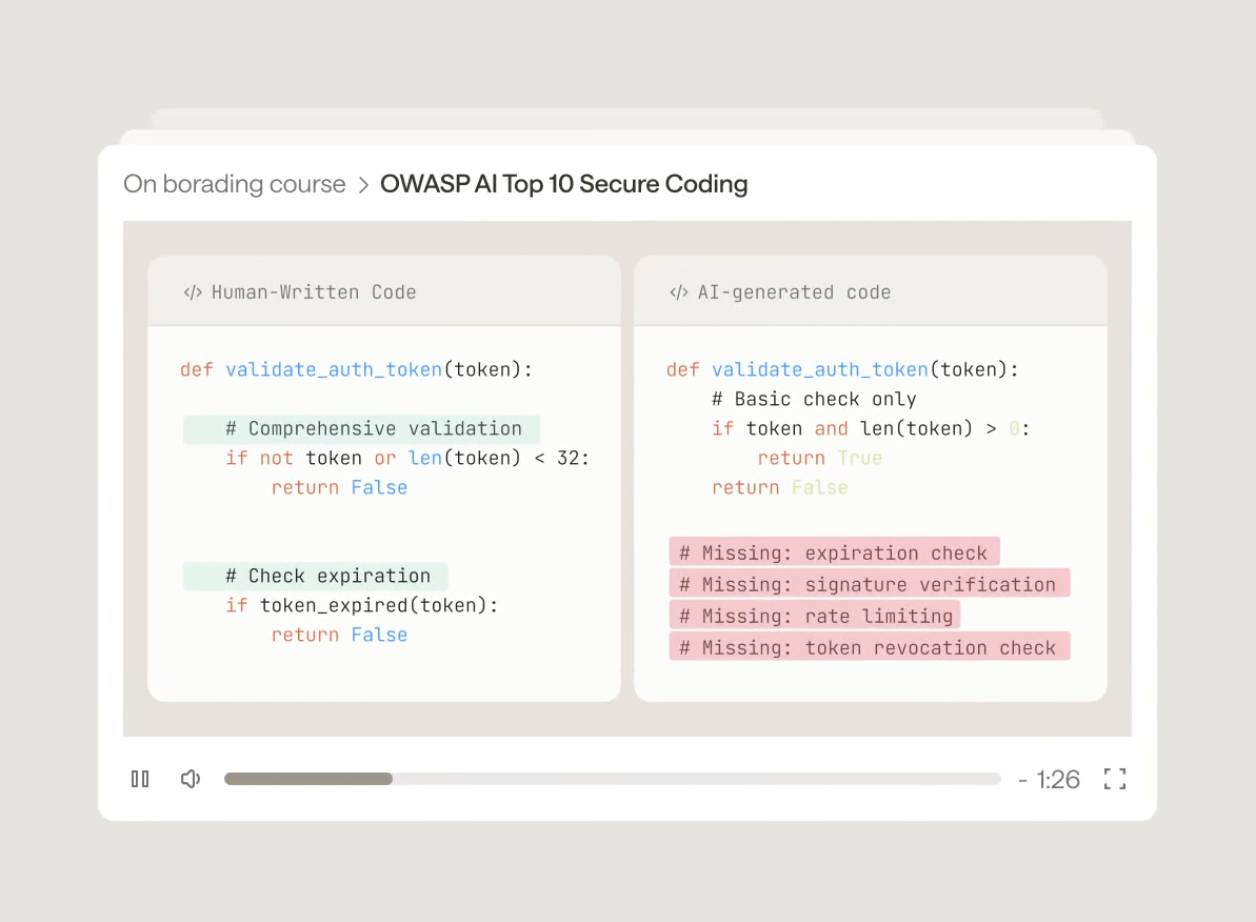
SCORM, xAPI, cmi5, and AICC
SCORM isn’t the only standard used in e-learning, and it isn’t the newest. AICC came before it, while xAPI and cmi5 were developed later to support types of learning and tracking that SCORM wasn’t designed for.
The practical difference between these e-learning standards is what they let you do and track.
- AICC is the older standard that SCORM largely replaced, but you may still encounter it in legacy learning management systems.
- SCORM remains a widely supported interoperability standard for delivering courses through learning management systems.
- xAPI is useful when the question moves beyond whether someone completed a course to what they actually did, where they did it, and what happened as a result.
- cmi5 combines that richer xAPI tracking with a more structured LMS-launched experience.
Adopting xAPI can also mean adding infrastructure. xAPI sends activity statements to a learning record store, and your authoring tools, e-learning platform, and other systems need to exchange that data consistently for it to be useful. That’s why organizations may use SCORM and xAPI alongside each other rather than treating one as a direct replacement for the other.
What SCORM can and can’t tell you about security behavior
Go back to the data model. SCORM reports completion status, score, pass or fail, time spent, and a bookmark. It reports those things reliably, which makes it useful for training records and compliance reporting.
Behavior change has no field in that model. A SCORM record can confirm that every employee finished the phishing module in March. It can’t tell you who would click the invoice email that arrives on a Tuesday in July, because the standard wasn’t designed to carry that signal. We make the fuller case in why completion rates measure the wrong thing.
SCORM is the right tool for delivery and record-keeping. It’s the wrong place to look for a measure of risk. A security program needs both records: whether training was completed and what employees do when they encounter a real or simulated threat.
How Frame works with SCORM
Frame Security uses your LMS as a delivery channel without making it the only source of measurement. Training can run through Frame’s dedicated training app or through the LMS you already use, while tracking continues in Frame.
With Frame:
- Export any training module as a SCORM package. SCORM 1.2 is the default export, with a second version available on request.
- Bundle multiple modules into one download. A SCORM package campaign lets you deliver several modules together rather than exporting them individually.
- Keep completion and behavioral data side by side. The completion record stays in your LMS, while Frame continues tracking the signals that help show whether behavior is changing.
- Connect employee behavior to risk. Phishing, voice, and deepfake simulation results, training engagement, and signals from your existing security tools feed into human risk reduction at the employee level.
- Keep your organization structure current. Identity provider integrations maintain the org map used to understand risk across employees and departments.
- Turn the data into something teams can use. Reporting and exports help security teams communicate the results, while training delivered at the moment of failure lets you respond when an employee needs it rather than waiting for the next scheduled training cycle.
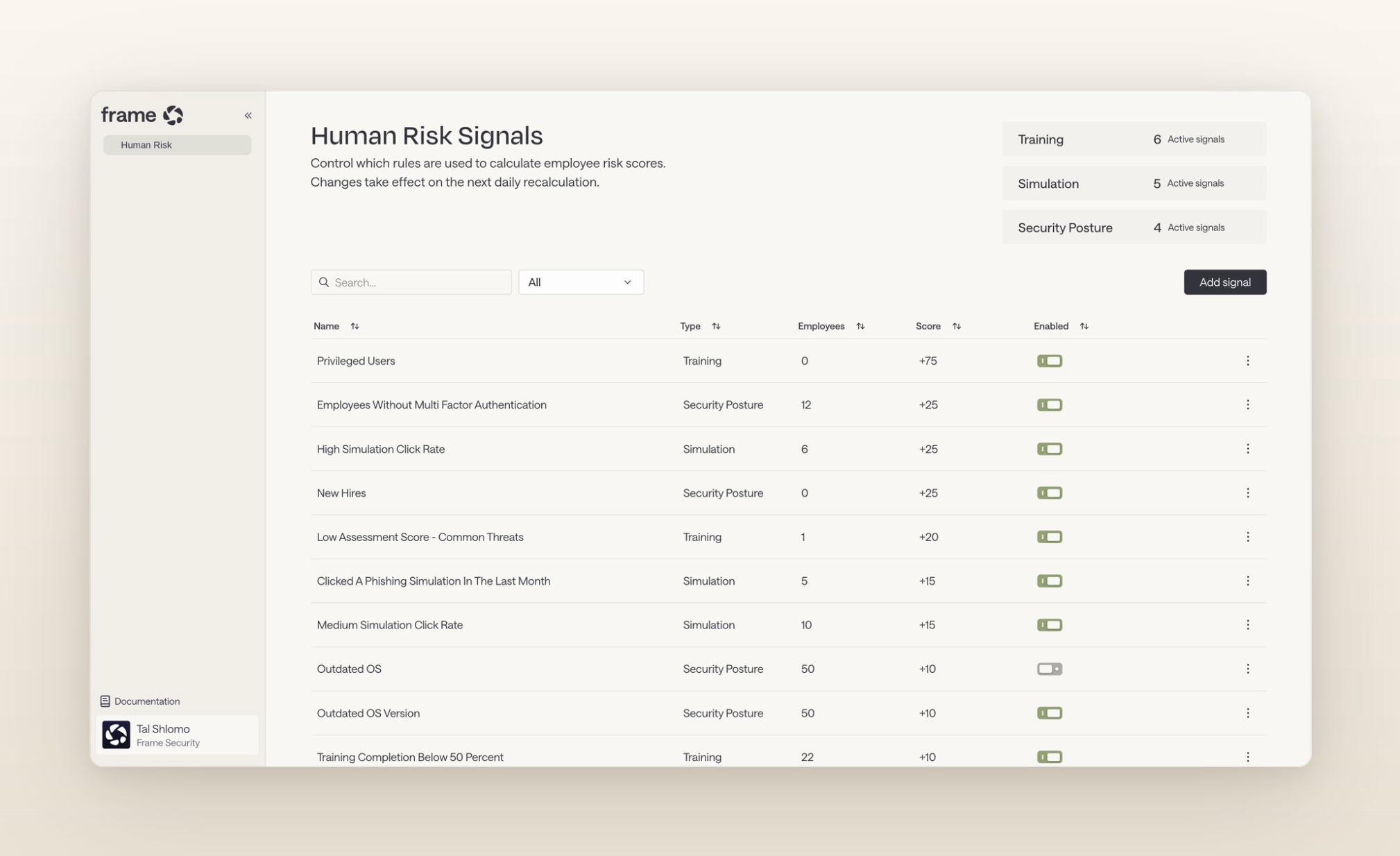
SCORM tells you whether training was delivered. Behavior tells you whether it worked.
Your LMS can tell you whether employees received and completed their training. That record matters, but it isn’t a measure of security behavior.
That’s the distinction to keep in mind when you’re evaluating SCORM support. Check that a vendor can deliver the SCORM version your LMS needs, then look at what happens after the course closes. If you want to see how Frame exports training to your LMS while continuing to measure employee risk, book a demo.
