
Most programs define their end-user population the same way: pull a list from the HR system and assign training to everyone on it. That list is shorter than the list of people who can be talked into causing damage.
The contractor with a corporate login. The vendor with access to the finance portal. The board member reading attachments on a personal address. The part-time employee who never made it into the directory sync. Every one of them can be phished, and none of them reliably shows up in the assignment.
Effective end-user security awareness training has to account for that wider population. This guide covers who counts as an end user, what they need to know, and how the training has to reach them.
What is end-user security awareness training?
End-user security awareness training is structured training that teaches the people using an organization's systems to recognize, avoid, and report the cyber threats aimed at them. It targets the judgment calls employees make under time pressure, not the technical controls sitting around them.
It operates at the decision layer: the moment someone judges whether a payment request is legitimate, whether a password reset link is real, whether the voice on the line is actually the CFO. Firewalls, email gateways, and endpoint protection all sit upstream of that moment. They filter what arrives. They have no say in what a person does with the message that gets through, and attackers build their campaigns specifically to reach the human element.
The term also gets used for practitioner security training — secure coding, incident response drills, and tooling for the security team. That is a different discipline with a different audience. End-user training addresses everyone else.
Who counts as an end user in security awareness training?
An end user is anyone with access to your organization's systems, accounts, or sensitive data, including employees, contractors, temporary staff, vendors, partners, executive assistants, and board members. The term implies employees. But the attack surface is far larger than your payroll.
That means your end-user security awareness training population should include:
- Full- and part-time employees: Anyone on payroll with access to company systems, including seasonal and part-time staff who may sit outside standard onboarding. They’re the obvious end users, but employment status alone doesn’t tell you whether someone received training when they were given access.
- Contractors and temporary staff: Freelancers, consultants, agency workers, and temporary hires using corporate logins, email, or internal systems. They may have employee-level access without sitting in the HR system that triggers a training assignment.
- Vendors and partners with system access: Third parties logging into finance portals, support platforms, shared systems, or other company accounts. Their access creates a route into the organization even though they sit outside the workforce. Verizon’s 2026 Data Breach Investigations Report found third-party involvement in 48% of breaches, up from 30% the previous year.
- Executive assistants: People managing inboxes, calendars, payments, documents, and requests on behalf of senior leaders. That combination of access and authority makes them useful targets for business email compromise and social engineering, even when their job title doesn’t suggest elevated risk.
- Board members: Senior decision-makers handling sensitive information who may use personal email, personal devices, or accounts outside the corporate directory. They can be valuable targets while sitting outside both standard security controls and training assignments.
The gap between who has access and who receives training usually starts with how organizations assign training. Many organizations use a directory sync to assign modules. Everyone in the directory receives the training. Everyone outside it receives nothing, even when they still have access to company systems.. Contractors, vendors, and board members often fall into this group because the HR system doesn’t connect their access to a standard employee record.
Build your training population around access, not employment status:
- Make a list of everyone with access to the systems, accounts, and sensitive data you need to protect.
- Compare it with the people receiving security awareness training.
- Add anyone who has access but doesn’t receive training to the program.
What end-user security awareness training should cover
End-user security awareness training should cover the threats people face, the security habits that reduce their exposure, and how to report issues when something goes wrong.
Threats every end user faces
Every end user needs to know how to recognize the attacks they’re likely to encounter and what to do when they spot one. That gets harder as the human threats landing on trained workforces in 2026 keep changing, so training needs to cover both established attacks and newer tactics.
Here are the most common attacks everyone needs to understand:
- Phishing and spear phishing: Phishing was the most reported type of cybercrime in the FBI’s 2025 Internet Crime Report, so every user needs to recognize a suspicious message or request. Teach them to stop before they click, check the sender and context, and verify suspicious requests through a channel the sender didn’t choose.
- Business email compromise (BEC) and invoice fraud: BEC is an expensive form of social engineering: victims reported $568 million in losses in the FBI’s Internet Crime Report. These attacks use familiar names and positions of authority to make fraudulent requests look legitimate. Train anyone involved in payments to confirm banking changes and unusual requests using contact details already on file.
- Credential theft: Compromised credentials provided initial access in 22% of breaches analyzed in Verizon’s 2025 DBIR. Attackers can then use a legitimate account to access systems and sensitive data. Teach users to question unexpected login pages and reject and report MFA prompts they didn’t trigger.
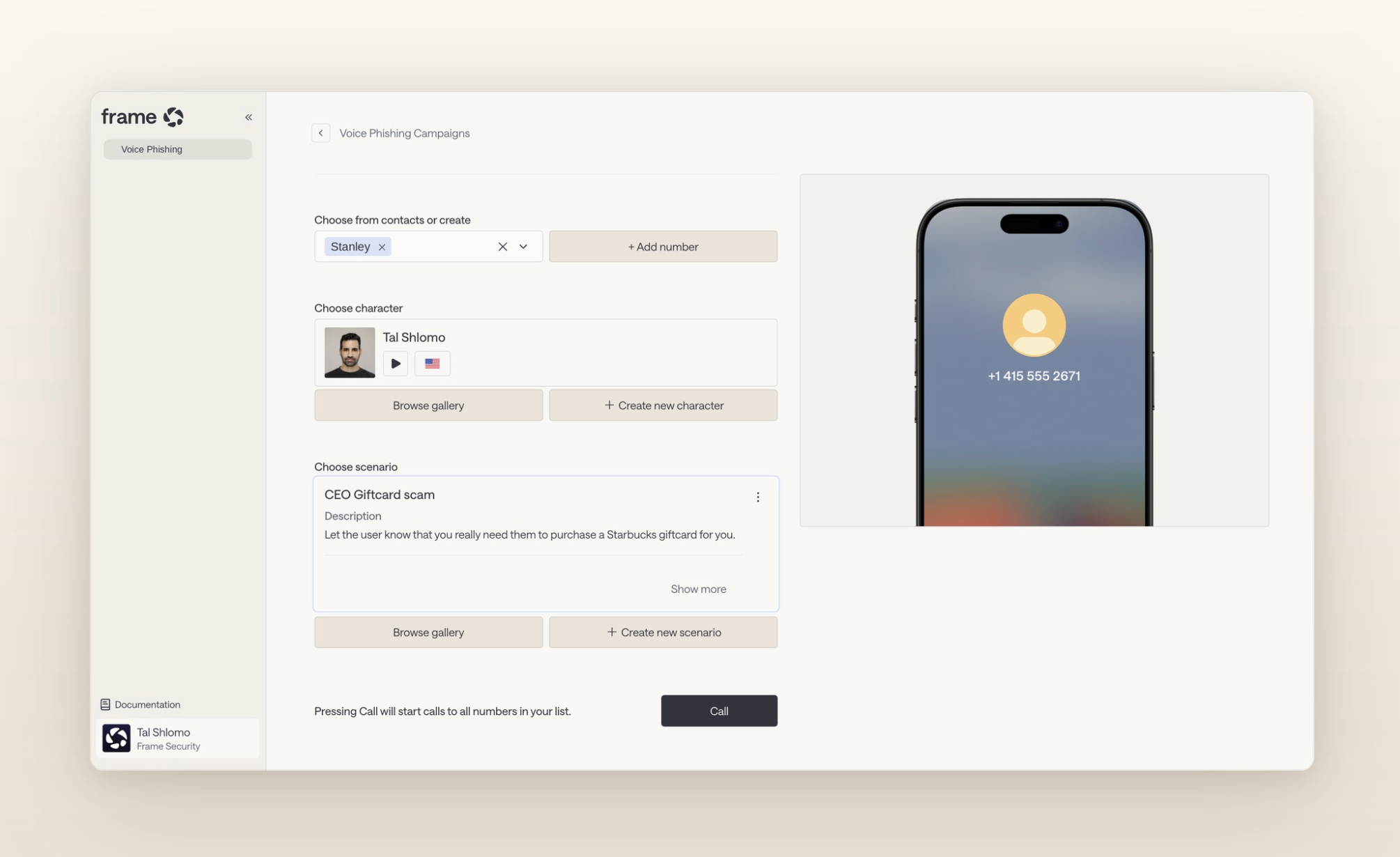
- Cloned audio and deepfake video: A familiar voice or face can no longer prove that a request is legitimate. Verizon’s 2026 DBIR found that fake texts and voice calls succeeded 40% more often than traditional email phishing. Coach users on how to verify urgent or financial requests through a separate channel, even when they appear to come from someone they know.
- QR code lures: QR codes can hide the destination until after someone scans them, making familiar checks harder to perform. Train users to treat unexpected QR codes like unexpected links: check the source and context before opening them.
Habits that reduce exposure
Good security habits reduce the opportunities attackers have to exploit human error. End-user training should reinforce the everyday behaviors that prevent common security threats from turning into security breaches:
- Password hygiene: Use strong, unique passwords and a password manager.
- Multifactor authentication: Turn on MFA for every account that supports it and never approve an unexpected request.
- Software updates: Install security updates promptly rather than delaying them.
- Data handling: Follow your organization’s rules for storing, sharing, and handling sensitive data.
- Device and physical security: Lock devices, protect them from unauthorized access, and report lost or stolen equipment.
How every end user should respond to a threat
Every end user should know how to report a suspected threat, where to report it, and what happens after they do.
Reporting gives the security team a chance to act when other controls fail. Someone clicks, nobody knows, and the compromise can continue undetected. When the user reports the same click, the security team can investigate and start incident response.
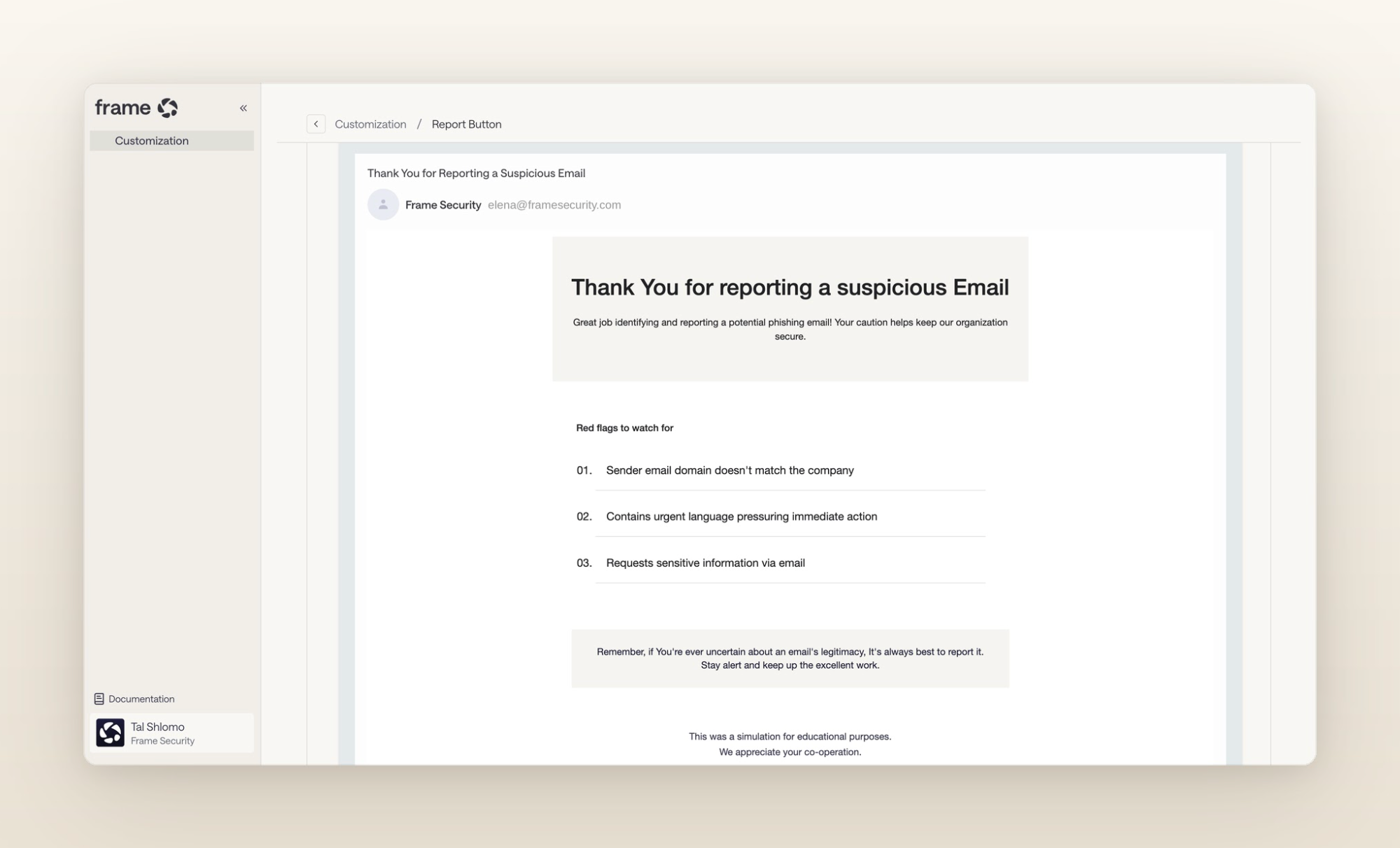
Make reporting quick and consequence-free. The reporting path has to take seconds, and using it has to carry no consequence when the report turns out to be nothing. A workforce that fears looking foolish reports nothing, and the program loses a valuable source of threat intelligence from the people encountering attacks firsthand.
What is the difference between security awareness and security training?
- Awareness is recognizing what a threat looks like.
- Training is practicing the response.
A program that delivers only the first produces employees who can describe phishing accurately and still click.
Practice requires two things a slide deck can’t provide:
- Simulations that run on the channels attacks actually arrive on.
- Coaching that arrives when someone fails, while they still remember the decision they made.
Training delivered at the moment of failure outperforms the same content delivered at the next scheduled cycle.
Then there’s the problem of how quickly training decays. People forget what they’ve learned. In fact, a single annual session loses its impact within months. Reinforce the right behaviors throughout the year instead of relying on one annual module.
Why should security awareness training be role-based?
Role-based training gives people security training that reflects the threats they’re actually likely to face. Treating end users as one undifferentiated population makes training generic, and generic training is easier to ignore.
Attackers select targets based on what someone can access and the actions they can take.
For example:
- A finance approver faces invoice fraud and cloned-voice payment requests.
- A warehouse supervisor faces credential theft through a shared terminal.
- A developer faces package-repository compromise and social engineering through collaboration tools.
Giving all three the same module about hovering over links doesn’t prepare them for those different risks.
Role-based training also appears as a distinct control in NIST SP 800-53, separate from general security awareness training. NIST calls for training that reflects people’s cybersecurity and privacy roles and responsibilities.
Risk signals can help you tailor training even further. Targeting the response to the signal that flagged someone might mean someone who repeatedly fails phishing tests gets different training from someone showing signs of credential reuse. Use those risk signals alongside someone’s role and access to decide what training they need next.
What should modern end-user security awareness training look like?
Modern end-user security awareness training should reach everyone with access, keep pace with current threats, tailor training to individual risk, and measure behavior rather than attendance.
That means the program needs to do three things well: create training quickly as threats change, assign it based on role, access, and risk, and measure how people respond to real-world attacks.
Frame Security supports this with:
- On-demand training: AI Content Studio produces a training module from a description in minutes and in more than 70 languages. Security teams can create training as new threats emerge and deliver it to contractors or regional staff in the language they actually work in.
- Risk-based assignment: Frame maps people to role, department, and risk profile, so teams can assign training based on the risks someone actually faces rather than relying on job title alone.
- Behavior-based measurement: Phishing and deepfake simulations run across email, voice, and video, with the results feeding a per-employee Human Risk Score. That shows teams who need more support rather than just who completed a module.
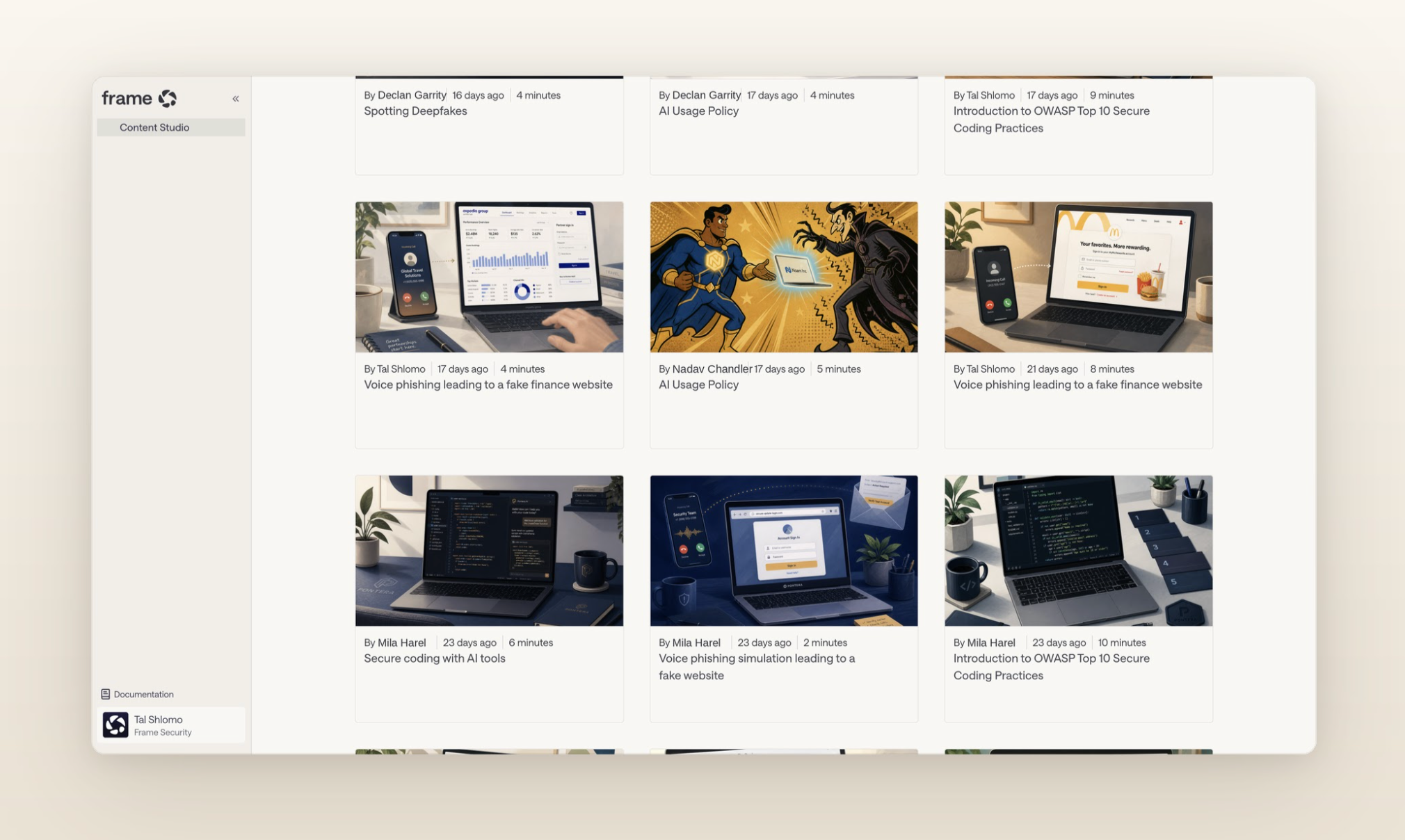
Together, these capabilities turn training results into something security teams can act on. Human risk reduction helps teams identify where risk sits across the workforce and focus intervention where it’s needed, while security awareness training keeps those interventions tied to the threats and behaviors behind that risk.
End-user security awareness training that reaches the right people
A strong security awareness training program starts with the right population. Look beyond the employee directory to everyone with access to your systems and sensitive data, then train them for the threats and decisions they actually face.
Keep that training current as attacks change, reinforce the behaviors that reduce human risk, and use risk signals to identify where people need more support. That’s how security awareness moves from completing modules to changing user behavior.
Frame Security brings those pieces together in one human risk management platform. To see how it works, book a demo.
Frequently asked questions about end-user security awareness training
Can security awareness training prevent cyberattacks?
Cybersecurity awareness training reduces cyber risk by helping users recognize social engineering attacks and respond safely. It complements technical controls by addressing social engineering tactics that target human decisions.
How do phishing simulations improve security awareness?
Phishing simulations let employees practise spotting realistic phishing campaigns and vishing attempts. Repeated practice helps turn knowledge into behavior change and shows security teams where users need more support.
How does security awareness training build a stronger security culture?
A strong security culture makes secure behavior part of everyday work. Regular training, practical exercises, and clear reporting processes reinforce what employees should do when they encounter a threat.
