
Sending a fake phishing email is easy. Any platform on the market will do it this afternoon, and you’ll have a click rate by Friday. Running an attack simulation that changes what someone does the next time a real one arrives is a different exercise, and most security awareness programs do the first while describing it as the second.
The three things that separate them are whether the scenario resembles an attack your people would actually receive, what happens in the moments after someone fails, and whether the results turn into anything.
What follows is the full sequence, from deciding what the campaign is for through to the follow-up, with the mistake that most often sinks each step.
Before you start: Define what the simulation is for
Almost everyone skips this, and it is the reason so many programs end up holding a click rate with nothing to do with it. A simulation with no stated objective produces a number and no decision.
Pick one of three purposes before anything else.
- Baselining establishes where you are and needs an unannounced campaign at moderate difficulty across the whole population.
- Targeting probes a known weak spot (a department that failed last quarter, a role with payment authority) and needs a scenario built for that group. Targeted phishing simulations like this look closer to spear phishing than to a mass email.
- Reinforcing tests whether a recent lesson held, and needs a simulated phishing attack close enough to the training that a connection is obvious.
The setup decisions follow from the purpose. Scope is the first: decide explicitly whether contractors, part-time staff, and non-desk workers are in, because the people left out of phishing simulation programs are usually the ones with the least security awareness training and often the most access.
Define what success means in advance (a target report rate, a time-to-report threshold) rather than deciding afterward whether the number looked good. And get HR and legal alignment before any campaign touching payroll, benefits, or bonuses, ideally in writing, because that conversation is far easier before the campaign than after a complaint.
The mistake: choosing a template before choosing a goal. It produces a realistic-looking test that measures nothing in particular, and the results support whatever conclusion you had already reached.
Build a scenario realistic enough to matter
A simulation tests the attack an employee will actually face, or it tests whether they can recognize a generic template. Only the first tells you anything about your exposure to phishing threats.
Realism has three components.
- Current tactics means the scenario reflects the phishing tactics attackers are using now, such as business email compromise (BEC), credential harvesters behind a convincing login page, QR codes, and CEO fraud, rather than the spelling-error phishing scams of a decade ago.
- A believable pretext means the story holds up for thirty seconds of scrutiny.
- Organization-specific detail is the one most programs skip: real vendor names, the internal phrasing your company actually uses, the reporting lines that genuinely exist.
A generic template tests template recognition. A message referencing a supplier your finance team pays every month tests something closer to reality.
Channel matters as much as content. Attackers run voice phishing (vishing), SMS phishing (smishing), and QR code phishing alongside email, and a program that only simulates the inbox has no reading on the rest.
Rate difficulty consistently, or campaign-over-campaign comparison means nothing. NIST's Phish Scale is the most useful public framework for this: it rates a message on the observable cues that should tip a recipient off, and on how closely its premise matches the recipient’s actual work.
Fewer cues and stronger alignment mean a harder phish. The practical value is that it explains click rates rather than just producing them. A spike after a very difficult scenario is a different event from a spike after an easy one.
The mistake: panic-bait. Fake bonus announcements, fake layoff notices, fake benefits changes. Social engineering lures like these generate spectacular click rates, and they teach employees that the security team will manipulate them, which costs more than any number is worth.
Launch the campaign
These mechanics decide whether the data is usable, and the second one is a frequent cause of ruined first campaigns. None of them takes long, and all three are much harder to fix after the send than before it.
Pilot first
Run the campaign against a small friendly group before full rollout. It surfaces broken links, rendering problems, and landing-page errors while the cost of finding them is nothing.
Whitelist the sending infrastructure
This is a common reason a first campaign produces unusable numbers. Security tooling clicks links to inspect them, and those clicks register as employee failures.
Safe Links in Microsoft Defender for Office 365, for instance, rewrite URLs and scan them before delivery and again at click time, and Safe Links policies include a "do not rewrite the following URLs" list, which exists so administrators can exempt traffic they control. Make the equivalent exclusion in every filtering and endpoint product in the path before you send anything real.
Stagger the sends
Delivering simulated phishing emails to a whole department at once means the first person to notice warns everyone else. All you’ve measured is how fast news travels rather than how people respond.
The mistake: treating a first campaign's numbers as a baseline without checking for scanner clicks. If the click rate looks impossibly high and the clicks arrived within seconds of delivery, that is your infrastructure, not your people.
Coach at the moment of failure
What happens in the ten seconds after someone clicks matters more than the click. This is the step most programs treat as an afterthought, and it is the one doing almost all of the behavior-change work.
That window is the only point where the person is thinking about the decision they just made. A landing page that appears immediately, names the specific cues in that message they missed, and takes under a minute to read will do more than a module assigned three weeks later to someone who has forgotten which email it refers to.
Follow it with a short micro-lesson rather than an hour of remedial training, and keep the tone matter-of-fact. Coaching at the moment of failure covers why the timing does the work.
The mistake: the gotcha landing page. Congratulating yourself on catching someone, or implying they have let the company down, suppresses reporting, and reporting is the behavior with the highest return in the entire program. Once people decide that telling you costs something, they stop, and your responders lose the earliest warning they would get of a real attack.
Measure what the campaign actually told you
Click rate is the number everyone reports and the least useful on its own. Four others carry more.
- Report rate. The share who flagged it through whatever channel you have designated. This is the behavior you want, and the one worth publishing internally.
- Time to report. The gap between delivery and the first report is the head start your responders would get in a real incident.
- The neither group. Those who neither clicked nor reported, usually the largest segment and the least examined. They are unclassified rather than safe.
- Repeat-click concentration. Whether failures cluster in a small group or spread evenly. The two call for completely different responses.
Record scenario difficulty with every campaign, using whatever scale you adopted. A click rate that rose because the scenario got harder is not a regression, and reporting it as one damages the program's credibility the first time somebody checks. Why completion rates measure the wrong thing makes the broader version of this argument.
The mistake: judging a single campaign in isolation. One simulation is a data point. The value lives in the trend, which means the measurement decisions made now determine what the program is able to show in twelve months.
Turn results into the next action
A report nobody acts on is theater. This step is what separates a program from a series of phishing tests, and it has three parts.
- Targeted follow-up. Repeat clickers get specific phishing training rather than the same annual cybersecurity awareness training module as everyone else. The concentration metric tells you who they are.
- Adjusted difficulty. The next campaign moves up or down based on what this one showed, which only works if you recorded the difficulty of both.
- A real incident response path. When an employee reports something, something visible has to happen: a verdict, an acknowledgment, ideally the message disappearing from everyone’s inbox. The report button and triage workflow is where that loop closes, and it is the part most programs leave open.
Then the cadence question. A single campaign's effect fades within months, so running phishing simulations is a continuous practice rather than an event. How quickly a single test decays covers the shape of that curve and what it implies for scheduling.
The mistake: running the next campaign before acting on the last one. That produces a series of measurements and no intervention, which is the most common way a phishing simulation program becomes a quarterly ritual nobody can justify.
How Frame Security runs the whole loop
Every step we covered is doable by hand. Several of them are tedious enough that they quietly stop happening around month four, which is usually where programs drift from a loop into a habit.
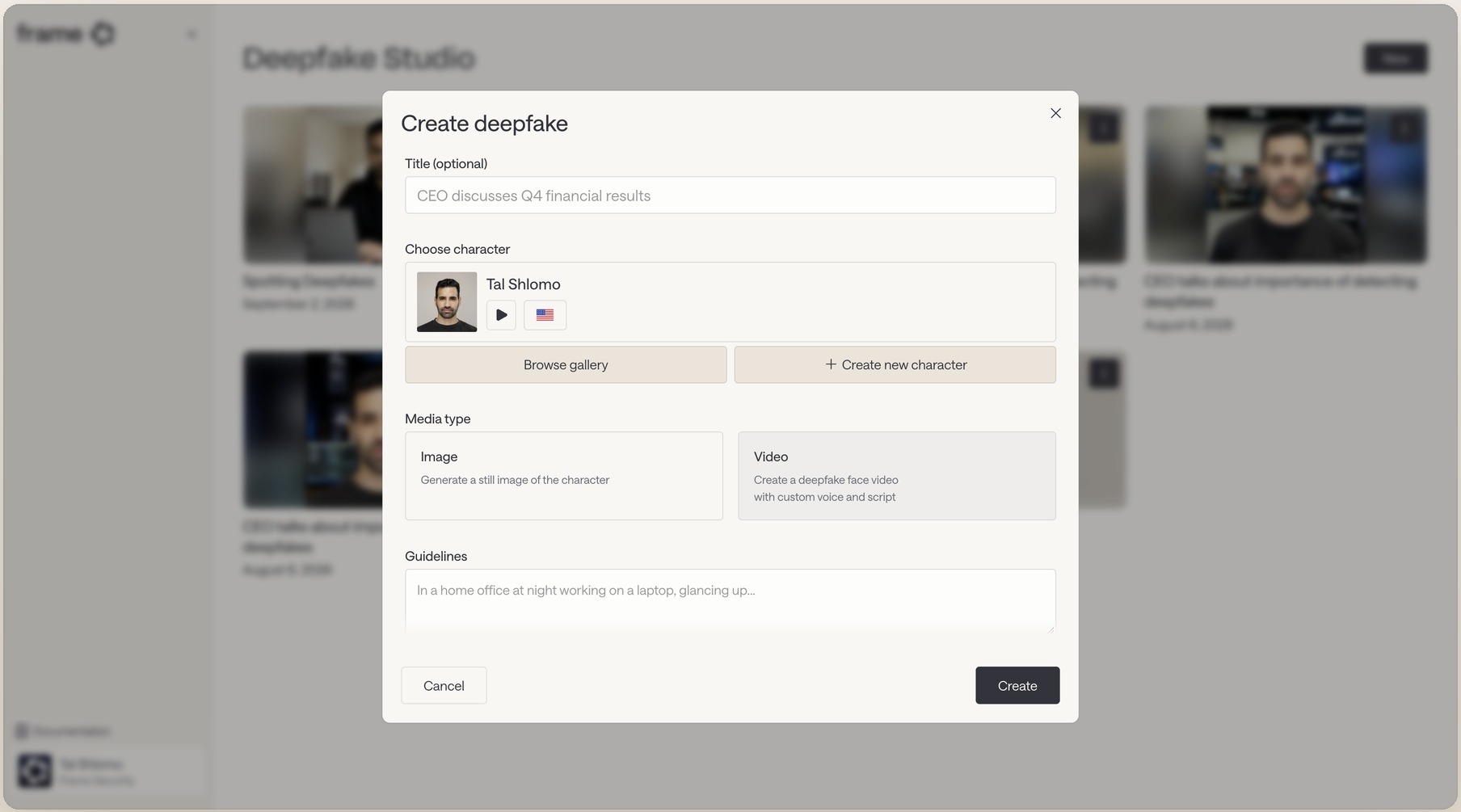
Frame Security is an AI-native Human Risk Security platform built around that loop. It generates phishing and deepfake simulations from your organization's context: org chart, vendor relationships, real communication patterns.
Scenario realism comes from the phishing simulation platform rather than from an admin writing phishing templates one at a time, and covers email, voice, and deepfake video.
Coaching fires automatically in more than 70 languages the moment someone fails. Every outcome also feeds a per-employee Human Risk Score, so human risk reduction turns "act on the results" into something that happens without a manual export, with targeted training or a follow-up simulation triggering when a score crosses a threshold.
Go back to the opening distinction. The send is the easy part. Everything after the click is where a simulation either changes what someone does next time or just adds a number to a slide.
Book a demo and see the coaching an employee gets in the ten seconds after they fail.
